
How to Give Feedback Without Causing Humiliation

How to Give Feedback Without Causing Humiliation

What is the number one fear people report?
Public speaking.

When I wrote my book, Knockout Presentations, I conducted an informal poll asking people why they feared speaking in public. The answers varied:

  • “All eyes are on me.”

  • “I hate being in the spotlight.”

  • “I might lose my train of thought.”

  • “I could freeze or trip on stage.”

But when I looked deeper, a common thread emerged.

The real fear behind public speaking is humiliation.
People don’t want to look foolish or feel judged.

This same fear appears in another workplace situation: performance reviews and presentation feedback.

A study reported in Harvard Business Review by researchers Bin Zhao, Rebecca L. Dunkailo, Judith Clair, and Ryan L. Boyd analyzed more than 400 responses about workplace humiliation. The results were striking:

  • 81% of people reported feeling humiliated at work at some point in their careers.

  • 78% remembered the incident years later.

The emotional impact lingered long after the event—and for some people, it caused them to shut down.

Now imagine giving a presentation and then receiving feedback. If handled poorly, feedback can reinforce that fear of humiliation.

The goal of feedback should always be growth, not embarrassment.

Here are practical steps to give feedback that improves performance while preserving dignity.

1. Prepare Yourself and the Speaker

Effective feedback begins with preparation.

First, prepare yourself.
Calm your mind and ground your body. Never give feedback when you are rushed, irritated, or emotional. If necessary, schedule the conversation for a later time.

Next, prepare the speaker.
Explain how the feedback process will work. If they requested feedback, ask what they hope to gain from it and how they prefer to receive it.

Some people want feedback on one specific aspect of their presentation. Others want a broader evaluation.

When people understand the process and your intention to help, they are more open to learning.

2. Ask the Speaker to Self-Evaluate First

Before offering your observations, ask the speaker:

“How do you think it went?”

Self-evaluation serves two purposes:

  • It reveals their level of self-awareness

  • It helps you tailor feedback to what matters most to them

Often speakers already recognize what worked and what didn’t.

Starting here creates a collaborative conversation rather than a one-sided critique.

3. Listen Before You Evaluate

It’s common for people to jump straight into giving advice.

Instead, listen holistically.

Pay attention to:

  • Body language

  • Tone of voice

  • Word choice

  • Confidence level

Do their words match their nonverbal communication?

Listening first demonstrates respect and helps you give more thoughtful feedback.

4. Start With Strengths

Begin with what worked well.

Ask the speaker:
What are the “keepers”?

When speakers know what they did well, they can repeat and build on those behaviors.

Many people focus only on what went wrong and fail to recognize their strengths. Highlighting those strengths builds confidence and makes the speaker more receptive to improvement suggestions.

5. Focus on “Next-Level” Improvement

Language matters when giving feedback.

Avoid labeling something as a weakness.

Instead, frame improvement as the next level of growth.

Everyone has a next level.

The goal is to identify:

  • Where the speaker struggled

  • What skills will close that gap

How this stage is handled determines whether the person feels humiliated—or empowered.

I learned this lesson early in my career.

When I was a graduate student studying speech pathology, I worked in a speech clinic with my first client—a 54-year-old man who stuttered. My supervisor observed through a one-way mirror.

Naturally, I was nervous.

When she asked how I felt about the session, I admitted my anxiety.

Her response?

“It showed.”

Ouch.

She could have said, “Everyone feels nervous the first time,” and then coached me on how to manage it.

Decades later, I still remember that moment.

Words matter.

6. Invite Their Response

After giving feedback, ask:

“What do you think?”

This keeps the conversation open and collaborative.

It allows the speaker to clarify misunderstandings, share their perspective, and process what they heard.

Feedback becomes a partnership rather than a verdict.

The Bottom Line

Most people want feedback. Done well, it becomes one of the most powerful tools for professional growth.

Done poorly, it can create humiliation that people remember for years.

When feedback is delivered with respect, clarity, and partnership, it transforms presentations—and confidence.

And that’s how people learn to deliver knockout presentations.

 Connect with me on LinkedIn

Speak Without Fear — Any Time, Anywhere

By Diane DiResta, CSP
Professional Speaker | Virtual Presentation Coach with AI | Executive Presence & Leadership Coach
February 5, 2026

Public speaking isn’t reserved for extroverts. Yet for many professionals, the fear of speaking up—whether on stage, on Zoom, or in a meeting—keeps their ideas hidden and their visibility limited.

Imagine delivering a presentation and feeling calm, focused, and confident. For many, that feels unrealistic. Public speaking consistently ranks as the number one fear, even surpassing the fear of death. According to Crown Consulting, 77% of people experience some level of speaking anxiety.

The goal isn’t to eliminate nerves entirely. The goal is to remove fear as a barrier to being seen, heard, and taken seriously.

Confidence doesn’t require years of practice—or standing on a physical stage.

Thanks to artificial intelligence, professionals can now deliver presentations, share ideas, and establish authority without the traditional pressures of live speaking.

One example is virtual presentation technology created by David Litwin, CEO of Detail Models and VOX AI, which allows speakers to present on a realistic, virtual stage using their own voice and image. Think of it as public speaking for introverts—or anyone who wants a low-stress way to be visible.

Curious, I tested it myself.

I sent a still photograph and recorded a short presentation on my iPhone using Voice Notes. Within days, I received a video of myself standing on a stage, behind a microphone, in front of an audience—wearing the same red dress from the original photo.

Speaker Video https://drive.google.com/file/d/1Mh2NyEHguTShbRnWL-CTDlXJcif2YP3F/view?usp=sharing.

What stood out:

  • The audio quality was excellent—it was my real voice.

  • The gestures and expressions were natural and engaging.

  • There was no memorization, no pressure, and no fear of losing my train of thought.

  • I could read from notes and record multiple takes.

This wasn’t traditional video editing. The entire presentation was generated from a single still image and voice recording—creating a polished, professional result with minimal effort.

An added benefit? This technology can be used to give prospective clients a preview of a keynote or presentation before booking—something that traditionally requires costly demo videos.

When fear is removed from the equation, professionals gain:

  • Visibility without anxiety

  • Confidence without years of stage experience

  • Consistency in message delivery

  • Credibility through professional presentation

Instead of avoiding speaking opportunities, leaders can now:

  • Share ideas through email and social media

  • Deliver presentations without stepping on stage

  • Build a personal brand using their real voice and image

This approach doesn’t replace live speaking—it creates a bridge to it.

If you’ve been avoiding public speaking, start small and strategic.

  1. Use virtual presentation tools to practice and publish your message in a low-risk environment.

  2. Focus on clarity, not perfection. Your message matters more than flawless delivery.

  3. Increase visibility incrementally—short videos, internal presentations, or client previews.

  4. Get support when fear persists. Only 8% of people with public speaking anxiety seek professional help, yet coaching accelerates confidence faster than trial and error.

As an executive speech coach, I help leaders speak with authority—on stage, on camera, and in high-stakes conversations. If fear is holding you back, you don’t have to manage it alone.

To work with me visit diresta.com

Connect with me on LinkedIn

Subscribe to my youtube channel

You don’t need to eliminate fear to speak powerfully.
You need the right tools, strategies, and support.

Speaker Introductions: Set the Speaker Up for Success

Here are some tips to set the speaker up for success.

1.Do not use the speaker’s bio for the introduction. Ask the speaker to send their introduction.

2. Speak to the presenter in advance to get a feel for their personality and presentation.

3.Triple space the written introduction to make reading easy.

4.Write notes or create emojis to remind you to smile or pause.

5.Rehearse out loud and time yourself. It’s a performance not a reading.

6.Walk to the front of the room with energy. Center yourself and make direct eye contact with the audience and smile.

7.In the absence of a speaker introduction, use this format: TEPS:

-Topic: Present the title or topic

-Experience: Briefly cite the experience or credentials of the speaker

-Personalize: Tell the audience something to humanize the speaker

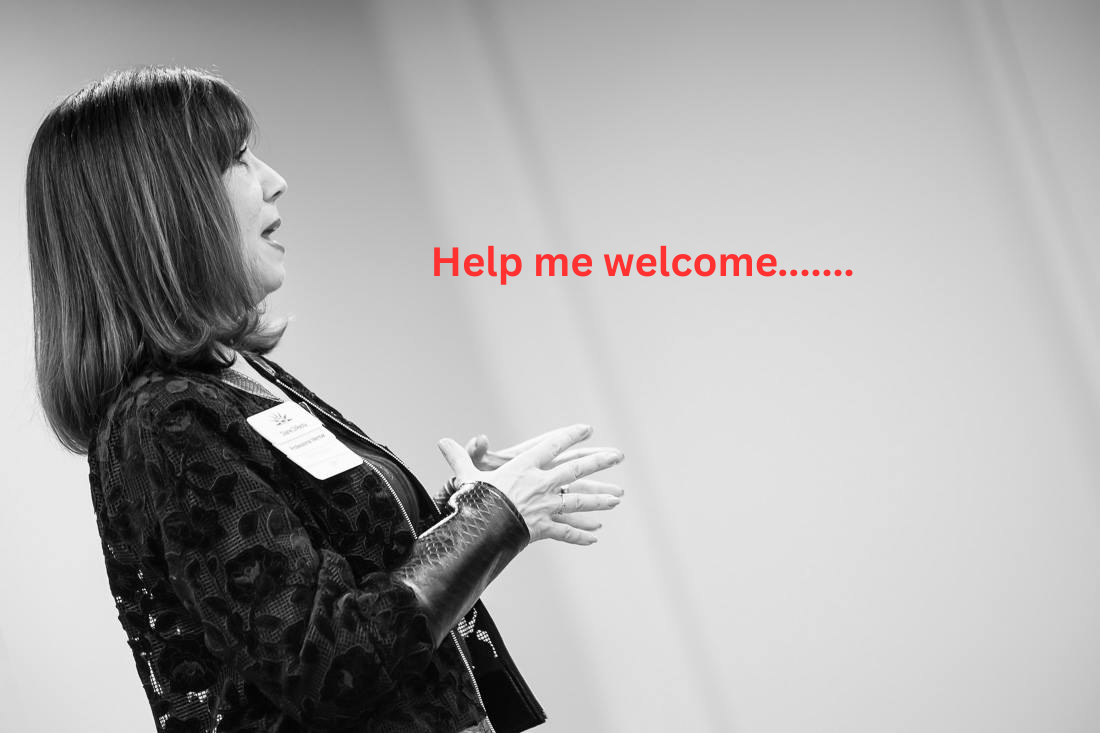
-Speaker’s Name: End with the speaker’s name. “Help me welcome Diane DiResta…”

Make sure you practice the pronunciation of the speaker’s name.

Connect with me on LinkedIn

Subscribe to my youtube channel

To work with me visit diresta.com

The Missing Piece That Can Sabotage Your Presentation

You may have good platform skills as a public speaker. But that’s not enough. It takes more than confidence and skills in the room or on the stage. The part that often gets overlooked is the piece that can sabotage your presentation.

The missing piece is STAGING. That's right. Staging is not just for a platform. If you're planning an event where people will be sharing their thoughts or accolades, how you stage the room will determine the success of the meeting or presentation.

Case in point: When I was a trainer for an investment banking firm in New York, we conducted a two-day off-site at a hotel. On Day One of the seminar there was a group of rowdy young men who sat together and could be disruptive. It took work to keep order. That night, my co-facililtator and I assessed the audience and the room. We decided that we would require participants to change seats on Day Two with one condition. We placed their name tags where we wanted them to sit and of course we broke up the rowdy group. We had more control and the seminar went smoothly.

 Recently, a client of mine planned his wedding in the middle of his coaching program. So we quickly pivoted to preparing him for any speaking he would do at the rehearsal dinner and at the wedding. One of the challenges was that family and friends wanted to stand up and say a few words. It turned out to be eight people which could have been unruly. In addition, his elderly grandmother couldn't attrend and he was sadly resigned to not hearing from her. Here is where staging comes in.

I suggested that he video record her best wishes and play the recording at the wedding so that her presence would be felt. Then we addressed the number of people who wanted to speak. It could have easily turned into a boring evening if he allowed all eight people to speak without any guidelines or plan. So we asked them to speak for one minute, knowing they would go over the time but it would not be a long speech.

Then we assessed their speaking skills. We determined the order by putting the skilled speakers at the beginning of the line-up, the average speakers in the middle, and the rest of the skilled speakers at the end. It was perfectly staged and the evening rehearsal dinner was a great success. Staging saved the day. Staging is not just for the theater. The next time you have an event where people will be speaking, plan a strategy and stage it for success. For more tips on staging, read chapter 9, Setting the Stage, in Knockout Presentations. #staging #publicspeaking #settingthestage #knockoutpresentations 

Connect with me on LinkedIn

Subscribe to my youtube channel

To work with me visit diresta.com